

Connecting a time punching machine to a computer can significantly streamline the process of managing employee attendance and payroll. As a time punching machine supplier, I've encountered numerous clients seeking guidance on the software required for this integration. In this blog, I'll delve into the essential software components and considerations for establishing a seamless connection between a time punching machine and a computer.
Understanding the Basics of Time Punching Machine Connectivity
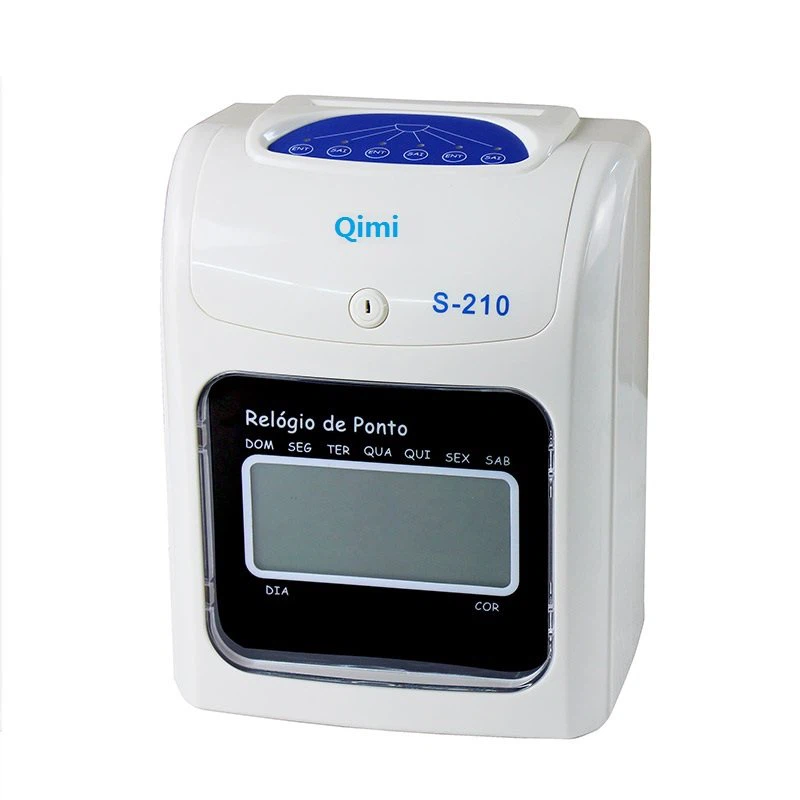
Before we explore the specific software, it's crucial to understand the different types of time punching machines and their connectivity options. There are various models available in the market, including Digital Time Punching Machine, which offer advanced features such as digital displays and enhanced accuracy.
Most time punching machines support connectivity through USB, Ethernet, Wi-Fi, or Bluetooth. The choice of connectivity method depends on the machine's capabilities and the existing infrastructure of your workplace. For instance, if your office has a reliable Wi-Fi network, a Wi-Fi-enabled time punching machine can provide a convenient and hassle-free connection.
Software Requirements for Connecting a Time Punching Machine to a Computer
1. Device Drivers
The first step in connecting a time punching machine to a computer is to install the appropriate device drivers. Device drivers act as a bridge between the hardware device (the time punching machine) and the operating system of the computer. They enable the computer to recognize and communicate with the time punching machine effectively.
Most time punching machines come with a CD or a downloadable driver package from the manufacturer's website. Follow the instructions provided to install the drivers on your computer. Make sure to download the latest version of the drivers to ensure compatibility and optimal performance.
2. Time and Attendance Software
Once the device drivers are installed, you'll need dedicated time and attendance software to manage the data collected by the time punching machine. This software plays a crucial role in automating the attendance tracking process, generating reports, and integrating with other HR and payroll systems.
Here are some key features to look for in time and attendance software:
- Data Collection: The software should be able to collect data from the time punching machine in real-time or at regular intervals. It should support different types of data formats and ensure the accuracy of the collected data.
- Employee Management: The software should allow you to manage employee information, such as employee names, IDs, departments, and attendance schedules. You should be able to add, edit, and delete employee records easily.
- Reporting: The software should generate comprehensive reports on employee attendance, including punches, hours worked, overtime, and absences. These reports can be used for payroll processing, compliance, and performance evaluation.
- Integration: The software should be able to integrate with other HR and payroll systems, such as accounting software, to streamline the payroll process. This integration ensures that the attendance data is automatically transferred to the payroll system, reducing the risk of errors and saving time.
There are several time and attendance software solutions available in the market, both cloud-based and on-premises. Some popular options include time punch clock for small business and payroll clock in machine. When choosing a software solution, consider your specific requirements, budget, and the size of your organization.
3. Database Management Software
In addition to time and attendance software, you may need database management software to store and manage the attendance data collected by the time punching machine. Database management software allows you to organize, retrieve, and analyze the data efficiently.
There are various database management systems available, such as MySQL, PostgreSQL, and Microsoft SQL Server. Choose a database management system that is compatible with your time and attendance software and can handle the volume of data generated by your organization.
Configuring the Software for Connection
Once you have installed the necessary software, you need to configure it to establish a connection between the time punching machine and the computer. Here are the general steps involved in the configuration process:
- Connect the Time Punching Machine: Connect the time punching machine to the computer using the appropriate cable or wireless connection. Make sure the connection is stable and secure.
- Open the Time and Attendance Software: Launch the time and attendance software on your computer.
- Configure the Connection Settings: In the software, navigate to the connection settings or device management section. Select the type of connection (USB, Ethernet, Wi-Fi, or Bluetooth) and enter the necessary configuration details, such as the IP address or device ID of the time punching machine.
- Test the Connection: After configuring the connection settings, test the connection to ensure that the computer can communicate with the time punching machine. Try punching in and out using the time punching machine and check if the data is being recorded correctly in the software.
- Import Employee Data: If the time and attendance software allows you to import employee data, you can import the employee information from a spreadsheet or an existing HR system. This will save you time and ensure the accuracy of the data.
- Set Up Attendance Rules: Configure the attendance rules, such as work schedules, overtime policies, and leave types, in the time and attendance software. This will help you automate the attendance calculation and generate accurate reports.
Considerations for Software Selection
When selecting the software for connecting a time punching machine to a computer, there are several factors to consider:
- Compatibility: Ensure that the software is compatible with your time punching machine, operating system, and other software applications used in your organization.
- Scalability: Consider the scalability of the software. As your organization grows, you may need to add more employees or time punching machines. Make sure the software can handle the increased volume of data and users.
- Ease of Use: Choose software that is easy to use and navigate. The software should have a user-friendly interface and provide clear instructions and support.
- Security: The software should have robust security features to protect the attendance data from unauthorized access, theft, or loss. Look for features such as data encryption, user authentication, and access controls.
- Cost: Consider the cost of the software, including the licensing fees, maintenance fees, and any additional costs for implementation and support. Compare the prices of different software solutions and choose the one that offers the best value for your money.
Conclusion
Connecting a time punching machine to a computer requires the right software and configuration. By following the steps outlined in this blog, you can establish a seamless connection between your time punching machine and computer, automate the attendance tracking process, and streamline your HR and payroll operations.
As a time punching machine supplier, I'm committed to providing high-quality products and comprehensive support to help you choose the right software and configure it for your specific needs. If you're interested in learning more about our time punching machines or need assistance with software selection and installation, please don't hesitate to contact us. We're here to help you optimize your attendance management system and improve your business efficiency.

References
- "Time and Attendance Software: A Comprehensive Guide." HR Technologist.
- "How to Connect a Time Clock to a Computer." Chron.
- "Choosing the Right Database Management System for Your Business." TechTarget.