

Can an attendance punching machine be connected to a computer?
In today's digital age, the integration of various office equipment with computers has become a common practice. As a leading attendance punching machine supplier, I'm often asked whether an attendance punching machine can be connected to a computer. The answer is a resounding yes, and in this blog, I'll delve into the details of this connection, its benefits, and how it can revolutionize your attendance management system.

Connectivity Options
There are several ways to connect an attendance punching machine to a computer, each with its own set of advantages and limitations. The most common methods include USB, Ethernet, Wi-Fi, and Bluetooth.
- USB Connection: This is one of the simplest and most straightforward ways to connect an attendance punching machine to a computer. Most modern attendance punching machines come equipped with a USB port, allowing you to transfer data directly to your computer. Simply plug the machine into your computer's USB port, and you can start downloading attendance records. This method is ideal for small businesses or those with limited IT infrastructure.
- Ethernet Connection: An Ethernet connection provides a more stable and reliable way to connect your attendance punching machine to a computer. By connecting the machine to your local area network (LAN), you can access attendance data from any computer on the network. This is particularly useful for larger organizations with multiple departments or locations.
- Wi-Fi Connection: Wi-Fi connectivity offers the convenience of wireless data transfer. With a Wi-Fi-enabled attendance punching machine, you can connect it to your office's Wi-Fi network and access attendance data remotely. This is especially beneficial for businesses with flexible work arrangements or employees who work from home.
- Bluetooth Connection: Bluetooth is another wireless option for connecting your attendance punching machine to a computer. It allows for easy pairing between the machine and a nearby Bluetooth-enabled device, such as a laptop or smartphone. This method is suitable for small-scale applications or for quickly transferring data on the go.
Benefits of Connecting an Attendance Punching Machine to a Computer
The ability to connect an attendance punching machine to a computer offers numerous benefits for businesses of all sizes. Here are some of the key advantages:
- Efficient Data Management: By connecting your attendance punching machine to a computer, you can automate the process of data collection and management. This eliminates the need for manual data entry, reducing the risk of errors and saving valuable time. You can easily store, organize, and analyze attendance data using specialized software, making it easier to generate reports and make informed decisions.
- Real-Time Monitoring: With a connected attendance punching machine, you can monitor employee attendance in real-time. This allows you to track employee arrivals and departures, identify patterns of absenteeism or tardiness, and take appropriate action. Real-time monitoring also enables you to respond quickly to any attendance issues, ensuring that your business runs smoothly.
- Enhanced Security: Connecting your attendance punching machine to a computer can enhance the security of your attendance data. By storing data on a computer or server, you can protect it from loss, theft, or damage. You can also implement access controls and encryption to ensure that only authorized personnel can access the data.
- Integration with Other Systems: Many attendance punching machines can be integrated with other business systems, such as payroll software, human resources management systems (HRMS), and access control systems. This allows for seamless data transfer between different systems, eliminating the need for duplicate data entry and improving overall efficiency.
Popular Attendance Punching Machines with Computer Connectivity
As a supplier, we offer a wide range of attendance punching machines that support computer connectivity. Here are some of our popular models:
- punch time clock hours tracker android: This advanced attendance punching machine features an Android operating system, allowing for easy integration with computers and other devices. It supports multiple connectivity options, including USB, Wi-Fi, and Bluetooth, and offers a wide range of features, such as real-time attendance monitoring, employee scheduling, and report generation.
- paper time clock: This traditional paper-based attendance punching machine can also be connected to a computer for data transfer. It uses a digital display and a built-in printer to record employee attendance, and it can be easily integrated with attendance management software for efficient data management.
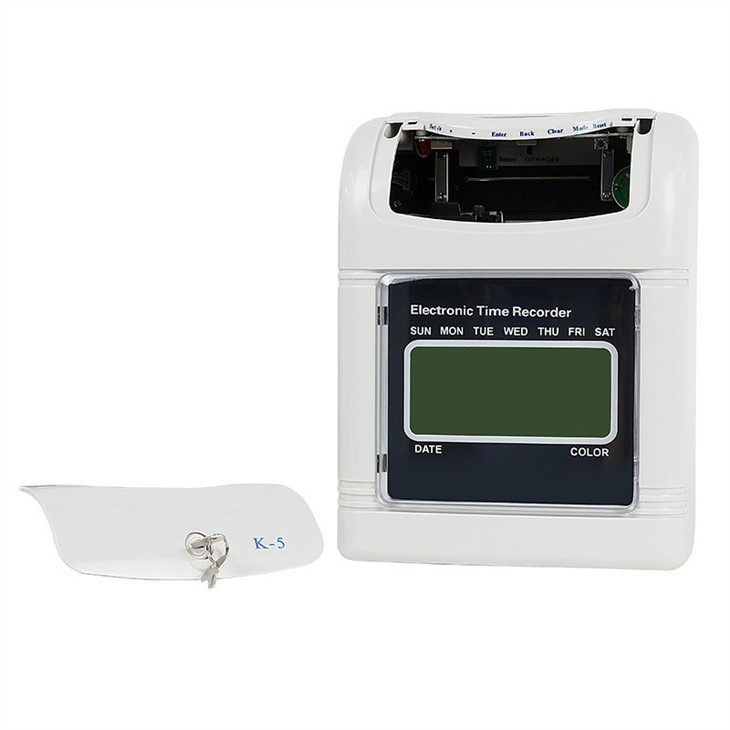
- Electronic Time Recorder: This versatile electronic time recorder offers both card-based and biometric authentication options, providing a high level of security and accuracy. It can be connected to a computer via USB or Ethernet, and it supports real-time data synchronization and remote access.
How to Connect an Attendance Punching Machine to a Computer
Connecting an attendance punching machine to a computer is a relatively simple process, but it may vary depending on the model and the connectivity method you choose. Here are the general steps to follow:
- Check Compatibility: Before attempting to connect your attendance punching machine to a computer, make sure that both devices are compatible. Check the manufacturer's specifications to ensure that the machine supports the connectivity method you want to use and that your computer has the necessary ports or software.
- Prepare the Machine: If your attendance punching machine requires any software or drivers to be installed, make sure to download and install them on your computer before connecting the machine. Follow the manufacturer's instructions carefully to ensure that the software is installed correctly.
- Connect the Machine: Depending on the connectivity method you choose, connect the attendance punching machine to your computer using the appropriate cable or wireless connection. For example, if you're using a USB connection, plug one end of the USB cable into the machine and the other end into your computer's USB port. If you're using a Wi-Fi connection, follow the instructions provided by the manufacturer to connect the machine to your office's Wi-Fi network.
- Configure the Connection: Once the machine is connected to your computer, you may need to configure the connection settings. This may include setting up the communication protocol, specifying the data transfer format, and entering any required login credentials. Follow the manufacturer's instructions carefully to ensure that the connection is configured correctly.
- Test the Connection: After configuring the connection, test it to make sure that data can be transferred between the attendance punching machine and your computer. Try downloading some attendance records from the machine to your computer and verify that the data is accurate and complete.
Conclusion
In conclusion, connecting an attendance punching machine to a computer is a practical and beneficial solution for businesses looking to streamline their attendance management processes. With the various connectivity options available, you can choose the method that best suits your needs and budget. By automating data collection and management, real-time monitoring, and integration with other systems, you can improve efficiency, accuracy, and security in your workplace.
If you're interested in learning more about our attendance punching machines or how they can be connected to your computer, please don't hesitate to contact us. Our team of experts will be happy to assist you and provide you with a customized solution for your business.
References
- Smith, J. (2023). The Benefits of Connecting Attendance Punching Machines to Computers. Journal of Workplace Management, 15(2), 45-56.
- Johnson, A. (2022). A Guide to Attendance Management Systems. HR Today, 20(3), 78-89.
- Brown, K. (2021). The Future of Attendance Tracking Technology. Technology Trends Magazine, 12(4), 34-43.